Multi-Factor Authentication
Edited
MULTI-FACTOR AUTHENTICATION for enhanced security and data protection
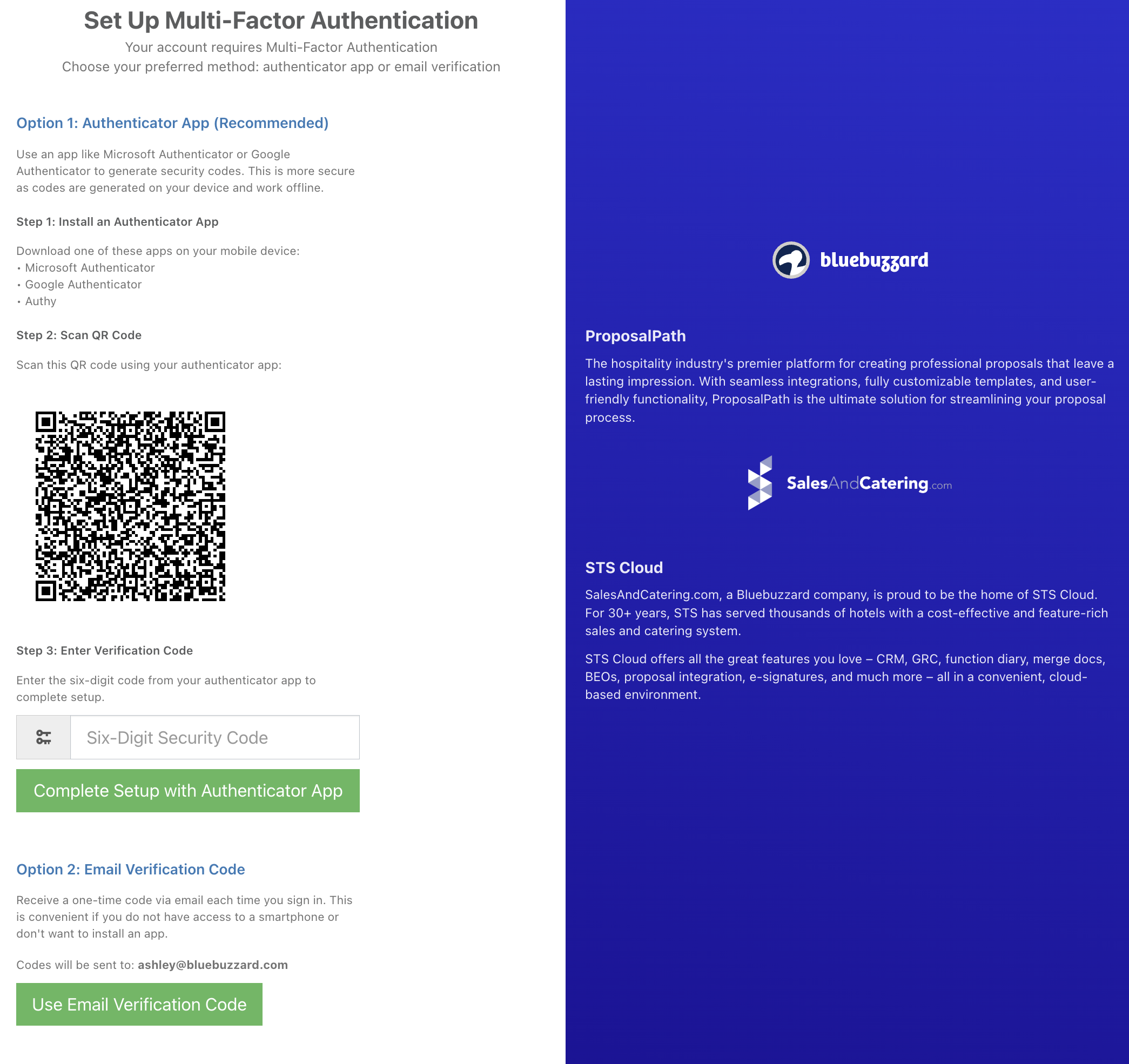
There are 2 options for MFA Authentication:
An Authenticator App
Email Verification Code
If you would like to use option 1, download an authenticator app (Microsoft Authenticator, Google Authenticator, etc) onto your phone if you do not have one installed yet.
If you would like to use option 2, skip this step.
Go into your Personal User Settings and check the box for 'Enable multi-factor authentication:'
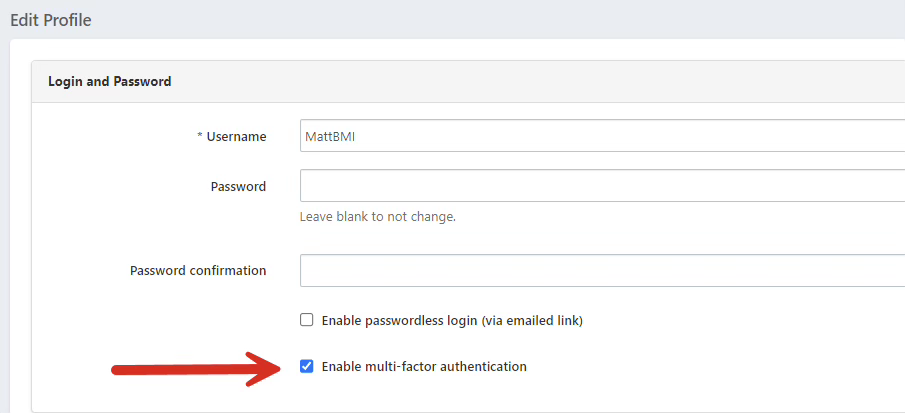
Scroll down and click Save User Account.
It will log you out of the system and show you the screen below- follow the directions on the screen: