Updating/Changing Your Password
To maximize the security of your account, we recommend creating a password that is unique to you.
Click the gear icon located in the top right corner of the screen.
Select SETTINGS for "Your Name" (your personal account).
In the section LOGIN AND PASSWORD, type in a new password and confirm it.
Scroll to the bottom and hit SAVE USER ACCOUNT.
Forgotten usernames and/or passwords can always be retrieved via "Forgot ID or password" on the log-in screen.
MULTI-FACTOR AUTHENTICATION for enhanced security and data protection
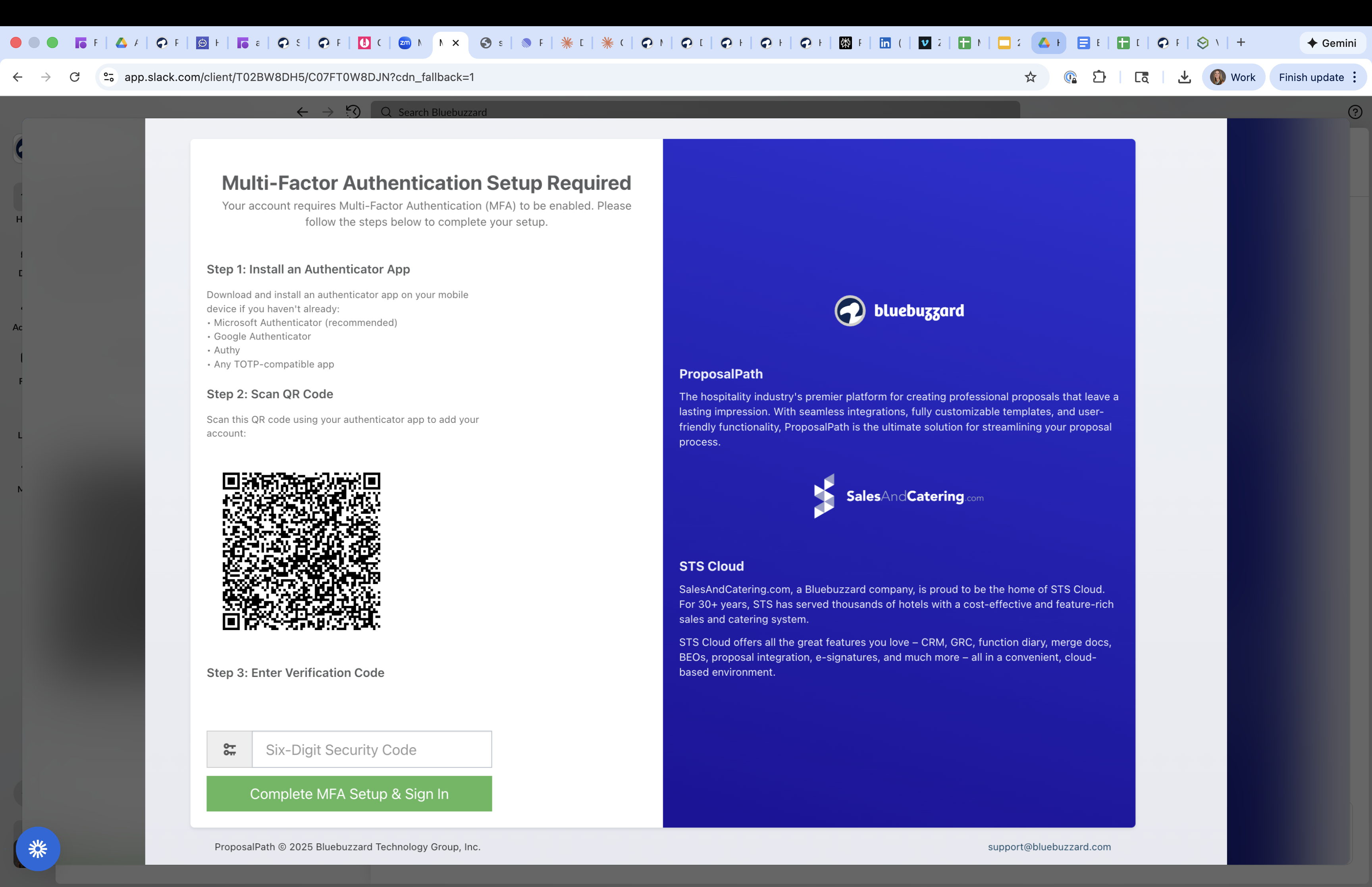
To prepare for the MFA Activation, download an authenticator app (Microsoft Authenticator, Google Authenticator, etc) on your phone if you do not have one installed yet.
Then go into your Personal User Settings and check the box for 'Enable multi-factor authentication:'
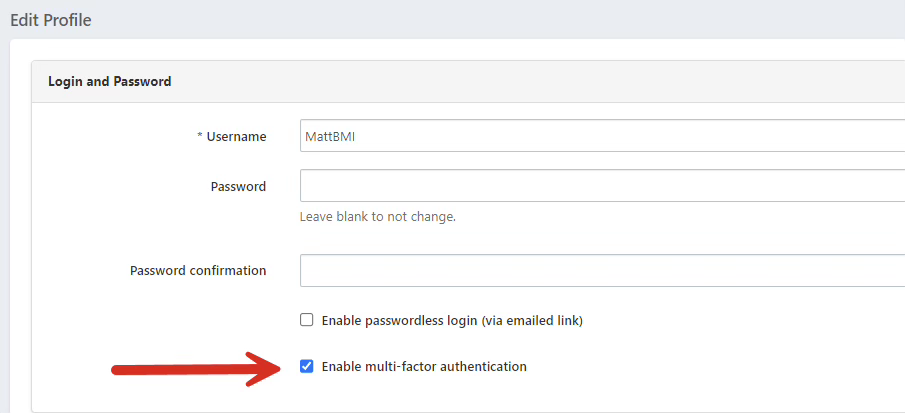
Scroll down and click Save User Account.
It will log you out of the system and show you the screen below- follow the directions on the screen: