Sales Call Goals
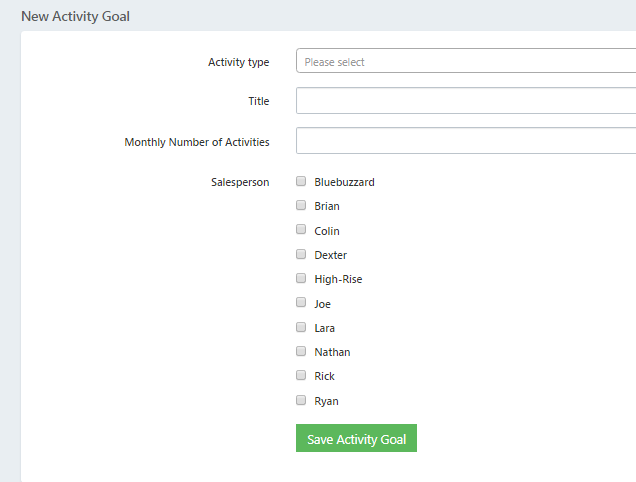
Users can assign a sales call activity goal by activity type and salesperson in STS Cloud. This goal is based on a monthly number, and will be pro-rated on the Weekly Sales Activity Report, based on the number of days in the date range for the report. Easily monitor a salespersons call productivity.
To enter a Sales Activity Goal:
Click on the Utility Wheel in the top right of the screen next to your name
Click on Settings for Your Hotel Name
Click on Activity Goals
Click the blue New Activity Goal button on the right
Select the Activity Type
Enter the number of monthly activities to be completed as monthly total
Select the salesperson(s) to assign this activity type goal to for your reporting and tracking
Click Save
Repeat for each Activity Type with a goal