Transient Sales
VOLUME CONTRACTS
Track Locally Negotiated Rates for short-term projects, annual commitments, etc., known as Volume Contracts. You can record room night potential when quoting a company rate and link it to your merge document template to create a rate agreement letter. The Volume Contract records transactions (e.g., a company with 500 nights per year will receive quoted rates and a corporate rate plan). These contracts appear in your weekly sales activity reports, showing potential transient volume alongside group room and catering sales.
To create a Volume Contract, please note the following:
Click on the Accounts Icon
Search the account you want to work with, or create your new account.
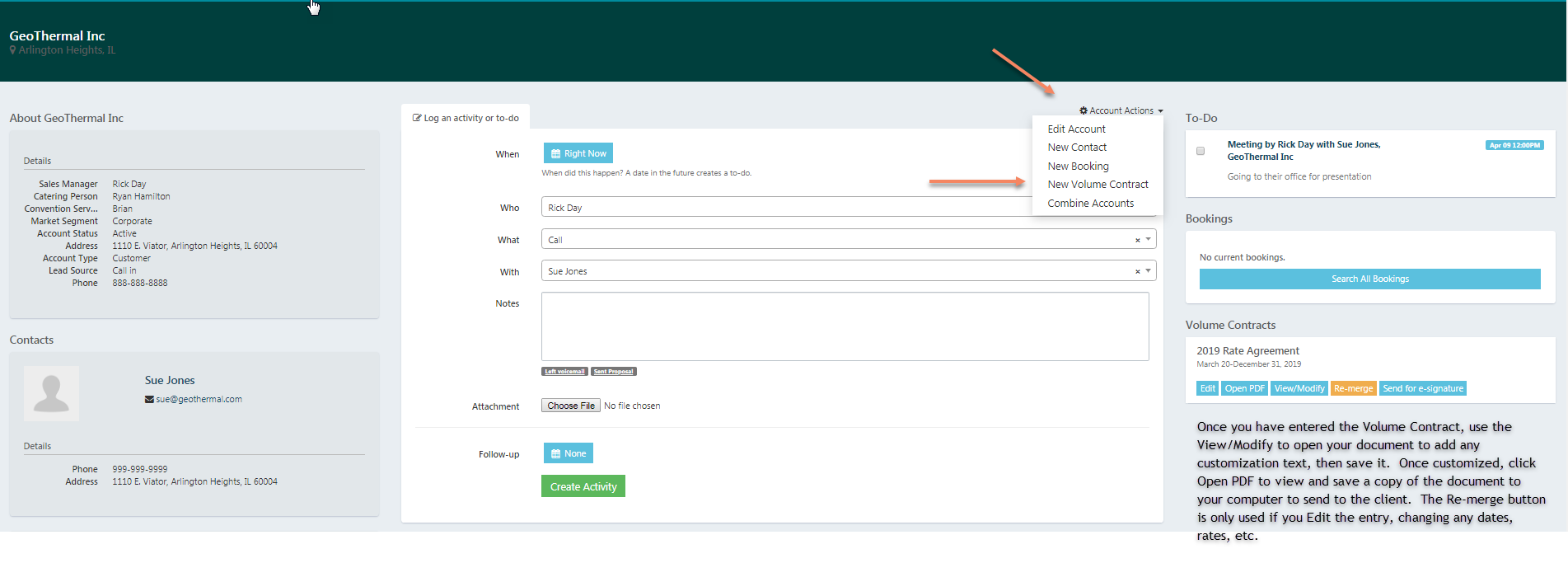
Once the Account folder is open, click Account Actions
Click on New Volume Contract
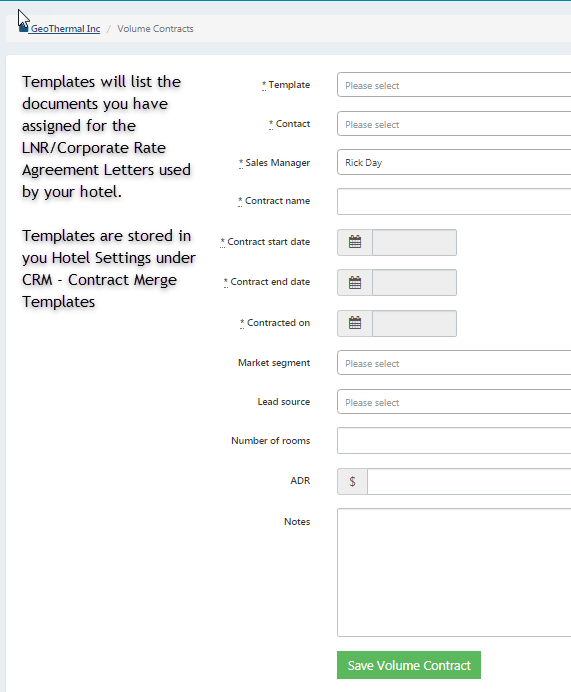
Choose the template for your merge document
Enter the details in the fields of information, including your start, end and contracted dates
User the Notes to record any company specific provisions, rate inclusions, etc.
Click Save at the bottom.
The system will return to your account main screen, and you will now see the Volume Contract noted on the right side.
LETTER OF AGREEMENT TEMPLATE
To set up your Local Negotiated Rate letter template, send your document to support@salesandcatering.com for formatting. Your Rate Agreements are stored in the Property Settings found under the Utility Wheel (top right icon). In Settings, scroll to CRM and open Contract Merge Templates. Edit and save your templates as needed.
SCREEN SHOTS FOR REFERENCE: