Lost Business Report
Edited
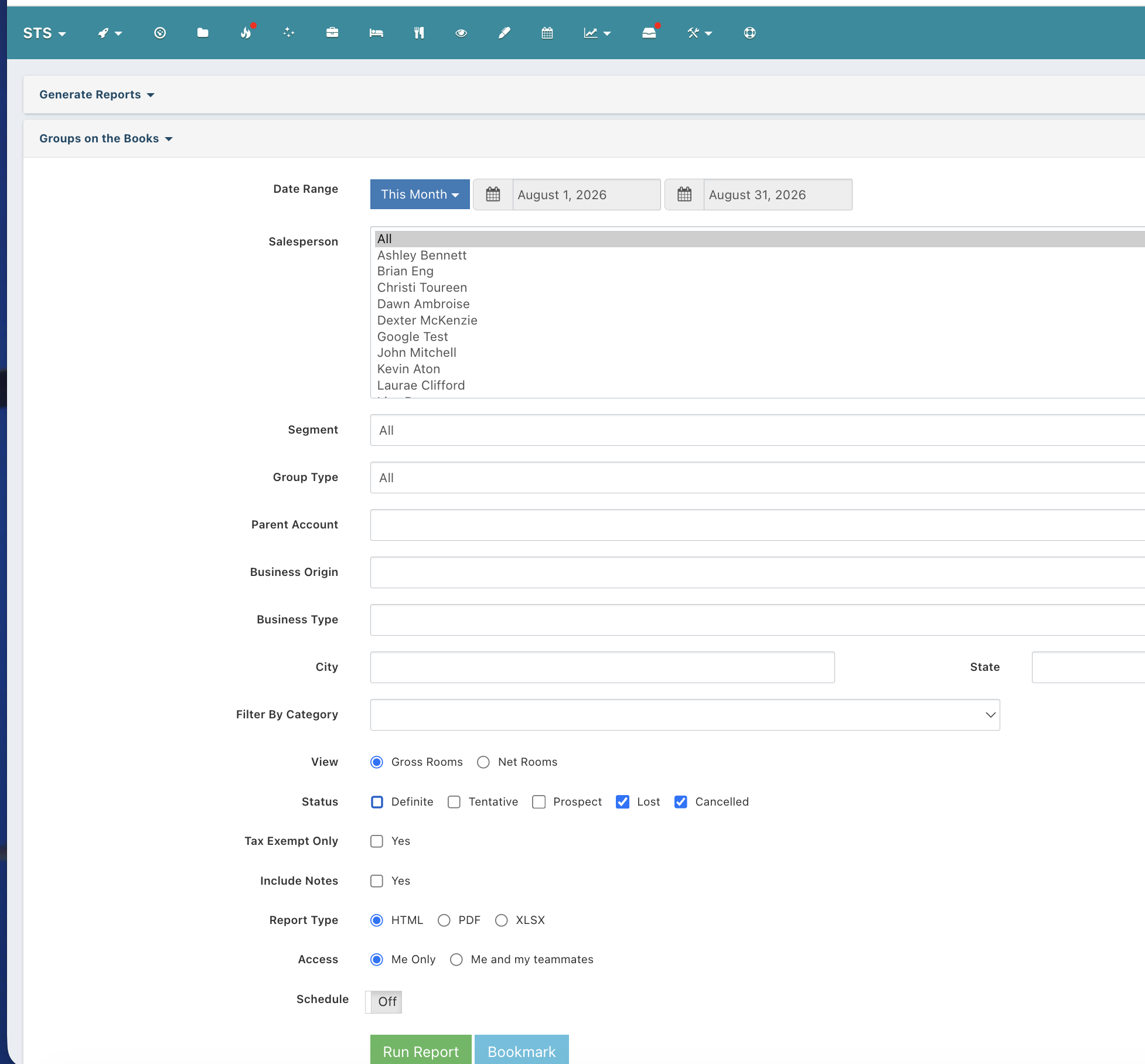
To Run a Lost Business Recap:
Click on Reports
Click Groups on the Books
Set the date range, select the sales persons (All or just the ones you want)
In Status click only Lost and Cancelled
Run the report in the format you want.
*Lost Business Reasons can be set up in the Property Settings from the data utility wheel in the top right corner of the dashboard.
*Competitors can be set up in the Property Settings from the data utility wheel in the top right corner of the dashboard.
*When you change a Group Status to Cancelled or Lost, you are prompted for a Lost Business Reason and the optional Lost to which competitor.