Connecting with Visrez
*available only with a paid subscription*
Users who will be working in Visrez on diagramming need to do the following in their user settings:
Click the Utility Wheel in the top right, and click settings for their user
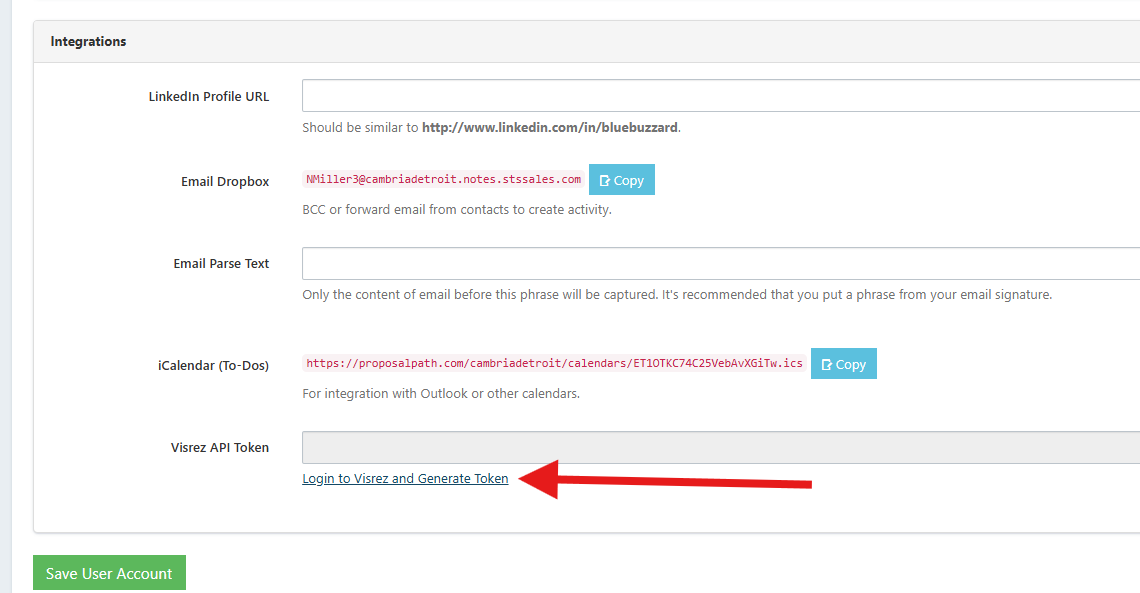
Scroll down to the bottom of the user settings
Click the blue link to Login to Visrez and Generate Token
Doing this step will open Visrez for you to login and connect your user with Visrez.
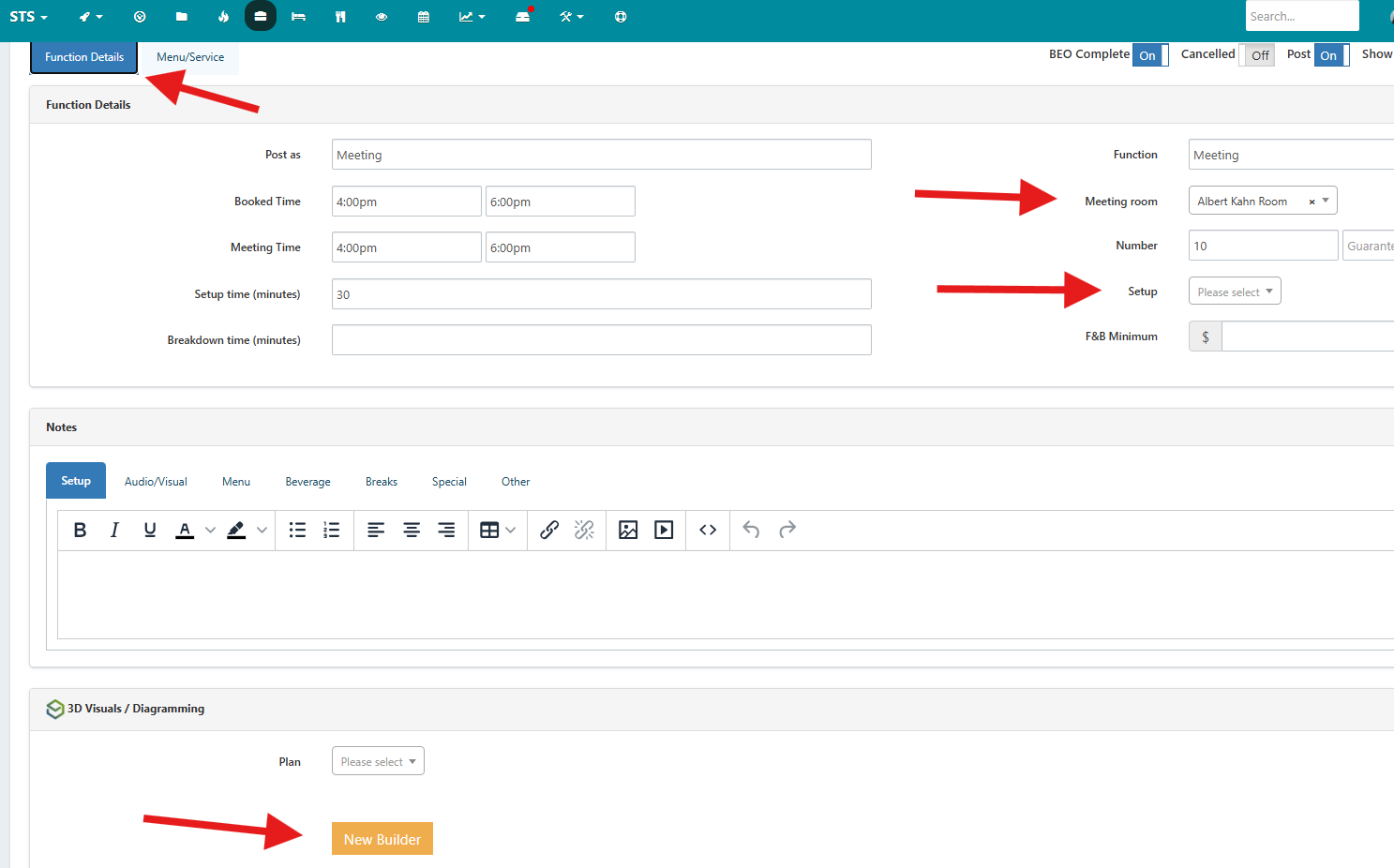
Once connected, you will be able to launch Visrez within a booking, on the function Details page
Meeting Room - the room blocked is linked to a diagrammable space based on the rooms available to diagram
The Setup selected will be used to drop in the base setting
Click the New Builder button which will open Visrez to create the diagram for this booking, and link it
Once Visrez opens, you will then complete the detailing and diagramming
Save to use with your client