HotelKey Integration
To activate integration with your HotelKey PMS system, have your HotelKey enterprise administrator contact us at support@salesandcatering.com and provide us with your HotelKey credentials and configuration. The expected configuration should include:
HotelKey Property ID
HotelKey Property Code
HotelKey Host URL
Group Rate Plan Code (this will be used as the rate plan for all new blocks on the Group Master)
We will then complete steps to link to your HotelKey system with your STS Cloud account. During this process, we will:
Connect your STS Cloud account to your HotelKey system using the credentials HotelKey provides
Map your STS Cloud room types to your HotelKey room types (services/space categories) so that you'll be able to view live availability and send group availability blocks to HotelKey directly from STS Cloud
Provide in-person training and guidance on how to use the integration effectively
Viewing HotelKey room availability in STS Cloud
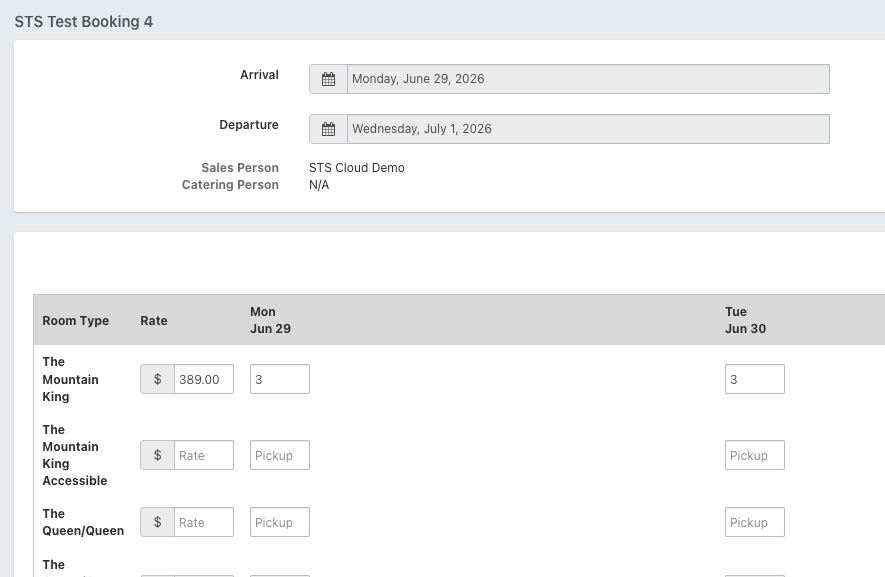
Once everything is properly connected, in any booking's Room Block step, we can now view live room inventory as published in HotelKey. You will see all room types that are fully mapped to HotelKey's room types, as well as the number of available rooms for each room type.
Sending a group block to HotelKey
Enter a new, unique group code into the Group Code field in the STS Cloud booking.
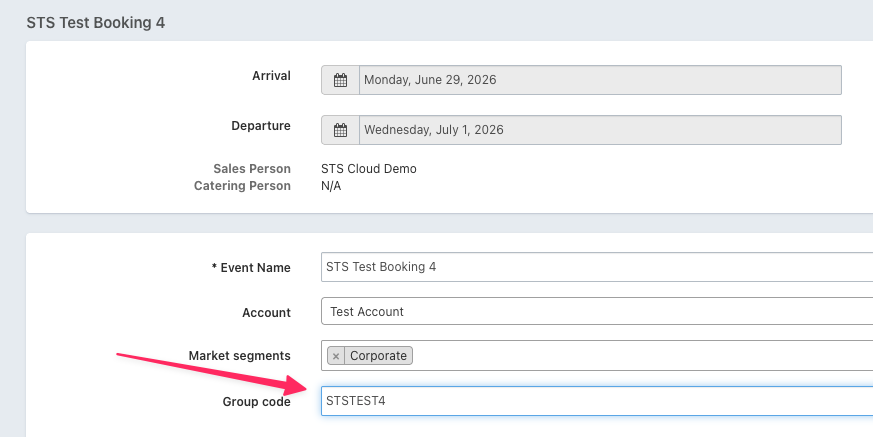
Now you can click Sync with HotelKey and then Create Group.
If all goes well, a message that reads "Group sent to HotelKey" will appear, and the group block will appear in HotelKey as a new Group Master.
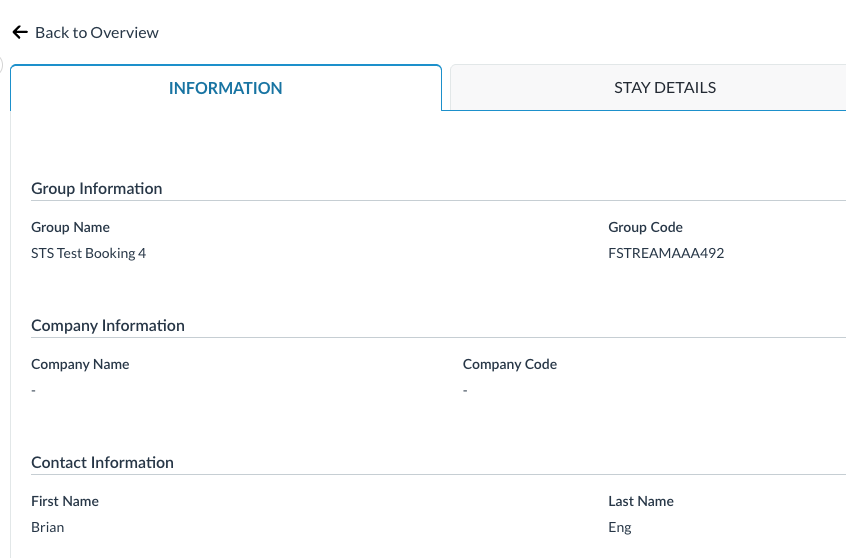
And room availability should be updated to reflect the existence of the block.
A few notes and checkpoints to let you know that things are working as expected:
The "Sync with HotelKey" link in the booking should no longer be highlighted in red. When that link is clicked, a long "unique ID" for the availability block that matches the group code in HotelKey should also appear.
You can choose whether the net/washed quantity or the gross quantity is sent to HotelKey; simply let our team know which one you would like to be sent.
Room quantities on the departure date should be left blank.
Updating an existing block
Any time updates are made to a booking – for instance, the update of a booking's status or any other information associated with the block that you want HotelKey to know about – Sync with HotelKey should be clicked, followed by Update Group.
Note: setting a booking's status to Cancelled does not automatically cancel/delete the group master in HotelKey. This should be manually done in both systems.
Making reservations and recording pickup
All reservations made against the group block in HotelKey are automatically recorded as pickup in the Pickup tab of the booking. It takes a few minutes after a reservation is made, but otherwise, there's nothing else to do! Pickup is also automatically updated when visiting the Pickup tab in the booking.